
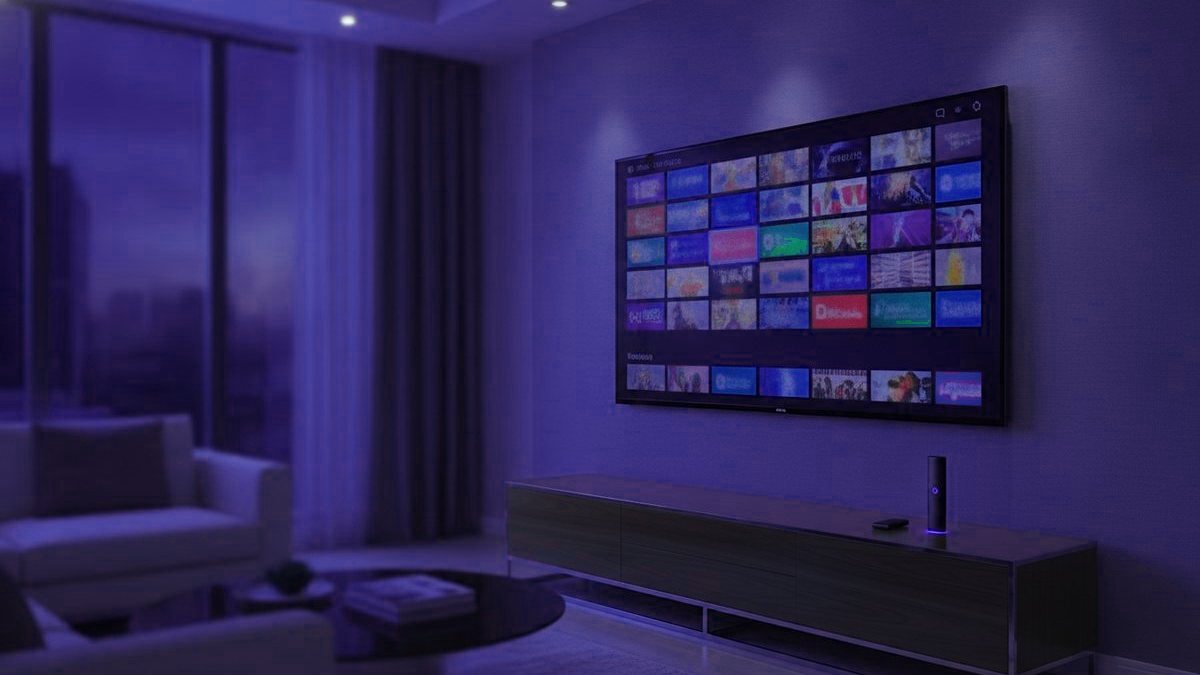
IPTV means your television arrives as internet data, the same stream of packets that carries a video call, instead of down a coaxial cable or off a satellite dish. The idea is simple. What decides whether you enjoy it is the practical side: the box or stick in your living room, the app that sits on it, the login you paste in, and whether anyone picks up when something refuses to play. This guide walks through all four, in the order you actually meet them.
The 30-second version
A provider gives you one login. You enter it into a player app on whatever screens you own, and live channels plus an on-demand library appear. The hardware is ordinary, the app is free, and the one part you pay a provider for is the subscription that fills it.
It runs on the screens already in your house
The first thing worth knowing is that you probably do not need to buy anything. A single IPTVUSA4K login is a standard credential, so it drops into a player on nearly any modern device, and the same account works on all of them at once:
- Amazon Fire TV Stick is the one most homes reach for, because it is cheap and sits behind any HDMI port.
- Android TV and Google TV devices, including Chromecast with Google TV and Nvidia Shield, pull players straight from the Play Store.
- Apple TV runs a smaller set of players from the tvOS store, with no sideloading.
- Samsung sets on Tizen and LG sets on webOS run apps from their own stores, so a 2016-or-later smart TV needs no extra box.
- MAG and Formuler set-top boxes are purpose-built for live TV and feel closest to a cable box.
- Phones, tablets and laptops round it out, which makes them the easy way to test before you commit to a living-room device.
Roku is the usual exception. It is excellent for mainstream streaming but blocks the players most people want, so if a Roku is all you own, ask support what actually works on it before you decide.
What happens the moment you press a channel
Pressing a channel tells the player to open a connection to the provider’s server. The server answers by sending that one channel, chopped into short numbered pieces a few seconds each. The app downloads a handful before it shows anything, keeps downloading while you watch, and plays from the small reserve it has built up.
That reserve is the buffer, and it quietly explains most complaints. While it stays topped up the picture is perfect. When the line hiccups or the server is swamped, the reserve empties faster than it fills, and the instant it runs dry the picture halts and the spinner appears. A buffering channel is not a broken channel; it is a player waiting for data that has not arrived yet.
The app is the piece people forget
Channels do not live in the hardware. They live behind your login, and a player app is what reads that login and draws the grid. The common ones are IPTV Smarters Pro, which runs almost everywhere, and TiviMate, which is the favorite on Android hardware for its guide. Samsung and LG owners often use Smart IPTV, and a web player or M3U link covers anything unusual.
Every one of these ships empty. Install it and you see no channels, because none have been entered yet. That blank first screen is the single most common source of day-one confusion, and it is working exactly as designed.
Your login comes in two shapes
An Xtream Codes login is three fields: a server address, a username and a password. Most current players want precisely those and sort out the guide and library themselves. It is the simpler route and the one IPTVUSA4K hands out by default.
An M3U link packs the same credentials into one long web address, which suits players like VLC that expect a playlist file. Guard it as you would a password, because anyone holding the link holds your account.
What you genuinely need
A steady connection. Roughly 25 Mbps for a 4K stream and about 10 for HD. Steadiness matters more than headline speed, because the buffer is hurt by the gaps rather than the average. Where the Wi-Fi is thin near the TV, a cheap Ethernet adapter cures more trouble than any other single change.
A screen to run a player on. Almost anything from the list above.
A player app. Free, from an official store where one exists.
A subscription. The only part that costs money with a provider, and the part that decides quality.
Why two identical connections behave differently
Two homes on the same broadband can have completely different experiences of the same service, and the broadband is rarely the culprit. How many people share each server matters: a provider that undercuts everyone buys thin capacity, and it shows the second a big match starts. So does whether popular channels carry fallback bitrates, because a channel offered in 4K, FHD and HD gives you somewhere to drop to when the line tightens. Distance to the server counts too, and so does your real line speed at nine in the evening rather than the figure printed on the bill.
Where a real person comes in
The gap between a good subscription and a good experience is usually setup, and that is the part this service treats as a staffed job rather than a PDF. Message the team on WhatsApp and a person walks the exact device in front of you through installation, menu by menu, and stays on the thread afterward when a channel misbehaves or you add a second TV. That help exists before you have paid a cent, during the free trial, so you can judge the support the same way you judge the picture. There is no email queue and no ticket system; everything happens in one chat.
What usually trips people up on day one
Nearly every first-day problem comes from one of three harmless misunderstandings rather than a broken service. The first is the empty app already covered above: the player shows nothing until the login goes in, so a blank screen is a half-finished setup, not a fault. The second is a mistyped credential, most often a missing port number on the server address or a stray space copied from a message, which the app reports as a rejected login. The third is Wi-Fi that looks fine for web pages but cannot hold a live stream in the evening, which shows up as buffering rather than an error. None of these needs a refund or a new provider; they need a correct login and, where the Wi-Fi is weak, a cable. That is exactly the kind of thing a person on WhatsApp sorts out in a couple of messages.
Is it legal?
The technology itself is entirely mainstream and legal; your phone company very likely uses it. The question that actually matters is whether a given provider holds distribution rights for what it carries, which in this market is often hard to read from the outside. Our legality guide treats that honestly instead of waving it away.
Getting started
If you want to see all of this on your own screen, the free trial runs 24 hours with no card, long enough to test at a busy hour on the device you care about. Plans are listed openly on the pricing page, and once you have a login the setup guides cover each device step by step. From payment to first channel is usually under a quarter of an hour, and if it is not, a message gets a person on it.
Frequently asked questions
What is IPTV in plain terms?
IPTV delivers television as internet data instead of over a cable or a dish. A provider runs the channels on its servers; your player app signs in and requests one, and the server streams just that channel to your device. The feel is like any online video, applied to live TV plus a large on-demand library.
Does IPTV need a special box?
No. It runs in a free player app on hardware most homes already have: a Fire TV Stick, an Android TV or Google TV device, an Apple TV, a Samsung or LG smart TV from 2016 on, or a phone, tablet or computer. A Formuler or MAG box is optional and mainly buys a nicer remote and guide.
How fast does my internet need to be?
Plan on roughly 10 Mbps for one HD stream and about 25 Mbps for one 4K stream, then add them up for every screen playing at once. A steady line matters more than a high headline figure, and wiring the TV device to the router with Ethernet removes most of the buffering that Wi-Fi causes.
Is IPTV the same as Netflix or a live-TV app?
They all send video over the internet, but an IPTV subscription is an open login that works in many players and is built around live channels and a guide, while a service like Netflix is a closed app with its own licensed library. Netflix itself is never bundled into an IPTV plan.
Why do free IPTV playlists keep dying?
A free M3U list is one account shared with thousands of strangers, so the server blocks it or cannot keep up, and the channels freeze or vanish within days. A paid subscription is a private login on servers sized for peak hours, which is the thing you are really paying for.
What happens after I pay?
You receive an Xtream Codes login, enter it once in your player, and the channels and library appear, usually in under 15 minutes. If a step on your particular device is unclear, a real person on WhatsApp walks you through it before and after payment, and the setup guides cover each device.
Want it running on your TV tonight?
Message a real person on WhatsApp. We walk your device through setup with you and send the login in under 15 minutes, with a 7-day money-back guarantee.
Related articles
IPTV Terms in Plain English: 28 Words Buyers Should Know
An M3U is a playlist link, the EPG is the TV guide, a connection is one screen at a time. Twenty-eight IPTV…
September 19, 2026IPTV vs Cable: Cost, Channels and What Each Does Better
IPTV costs far less and carries far more channels; cable keeps working when your internet drops. A row-by-row comparison for US homes,…
September 19, 2026IPTV vs OTT Streaming: How Delivery and Lineups Differ
IPTV and OTT differ in how the video travels and what you choose from. Private network vs open internet, live channels vs…